An expired API key, a bank saying no, or someone testing stolen cards on your checkout: from the Orders screen they all look the same. Checkout Doctor tells them apart for free and says which ones are yours to fix. Pro stops a card-testing attack the moment it starts, without blocking your real customers.
Free, with no limits and no time limit · No credit card
Every store sees failed payments. Most are the customer's bank or a typo, and there is nothing to fix. A few mean your checkout is broken for everyone, and a sudden pile of them usually means an attack. Checkout Doctor reads the error each customer actually saw and sorts every failure by whose fault it is.
A wrong or expired API key, an account not activated, a site error. Every customer is affected until you fix it, so this is what you hear about first.
Many small declines in a short time from few visitors or throwaway emails. Your gateway works; someone is checking stolen cards.
Insufficient funds, a wrong security code, an expired card. Normal on any store, and nothing on your side will change it.
It learns your store's normal pace and tells you when a quiet spell is out of character, even when nothing has failed.
Works with the block checkout and the classic checkout, with any payment gateway, and with HPOS.
Free tells you what went wrong and whose fault it is. Pro stops the attack, explains the gateway's codes and puts a number on what it costs.
The moment card testing is confirmed, Pro tightens WooCommerce's own checkout rate limit and refuses only visitors and emails that keep failing. New customers check out normally, and it switches itself off after the time you choose.
Cloudflare Turnstile, hCaptcha or Google reCAPTCHA on the block and classic checkout. Run it only during a lockdown, so real customers normally never see it. Setup takes five minutes, with the steps inside the plugin.
Every refused checkout is logged with the reason. When a customer calls, type their email and see at once whether they were refused. Addresses are compared as hashes and never stored.
do_not_honor, INSTRUMENT_DECLINED, api_key_expired: codes from Stripe, WooPayments, PayPal and Square turned into what happened, whose move it is and what to tell the customer.
Sales, failed checkouts by cause, attacks stopped and money lost to fixable faults, on the 1st of every month. It carries only your name, so an agency can send it as its own, or save it as a PDF.
Slack, Discord or any webhook, in addition to email. An immediate alert when a lockdown starts, and an optional daily summary of sales and failures.
Screenshots from the real plugin, during a card-testing attack on a demo store.
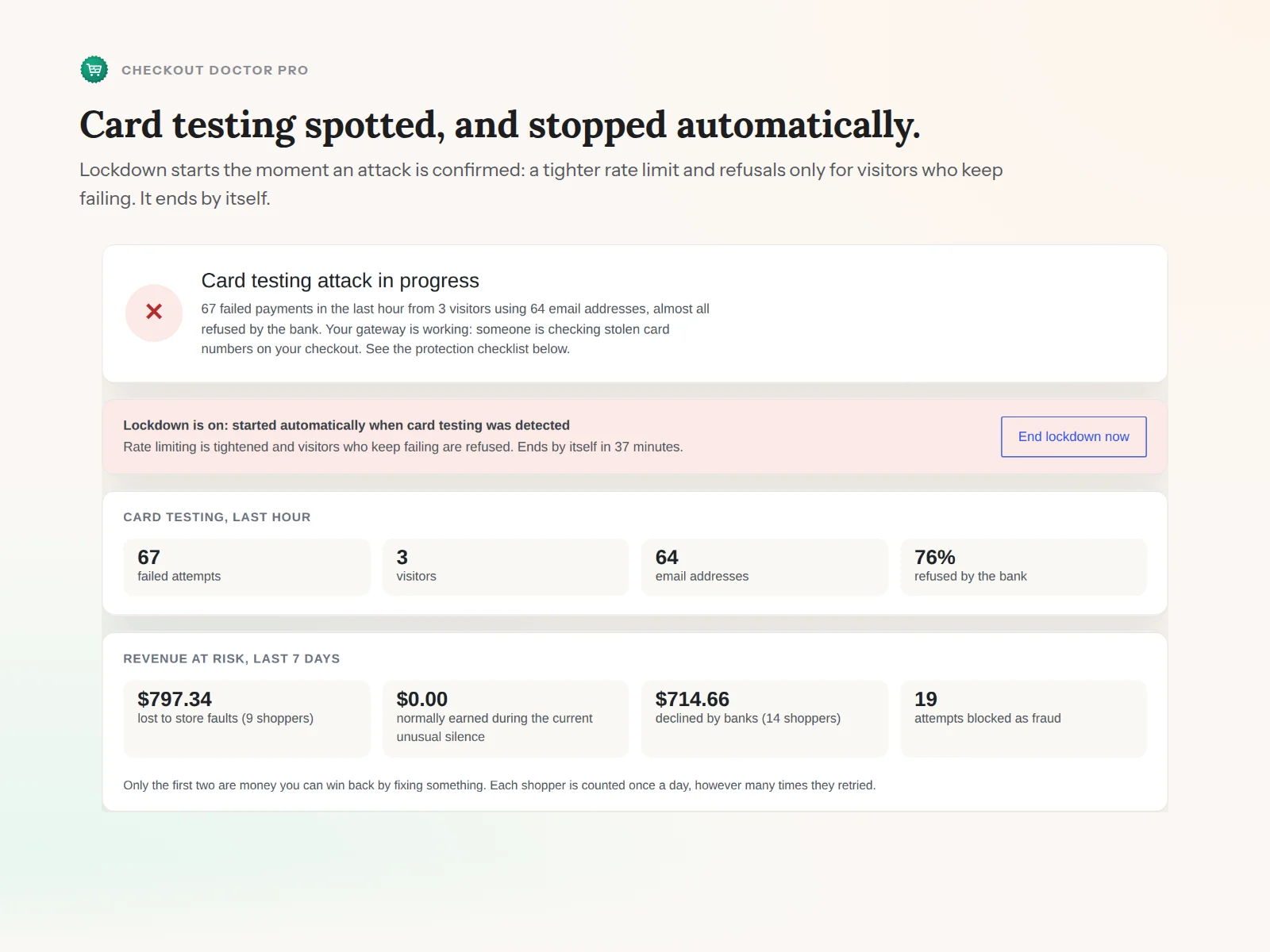
An attack spotted and stopped automatically, with the revenue at risk.
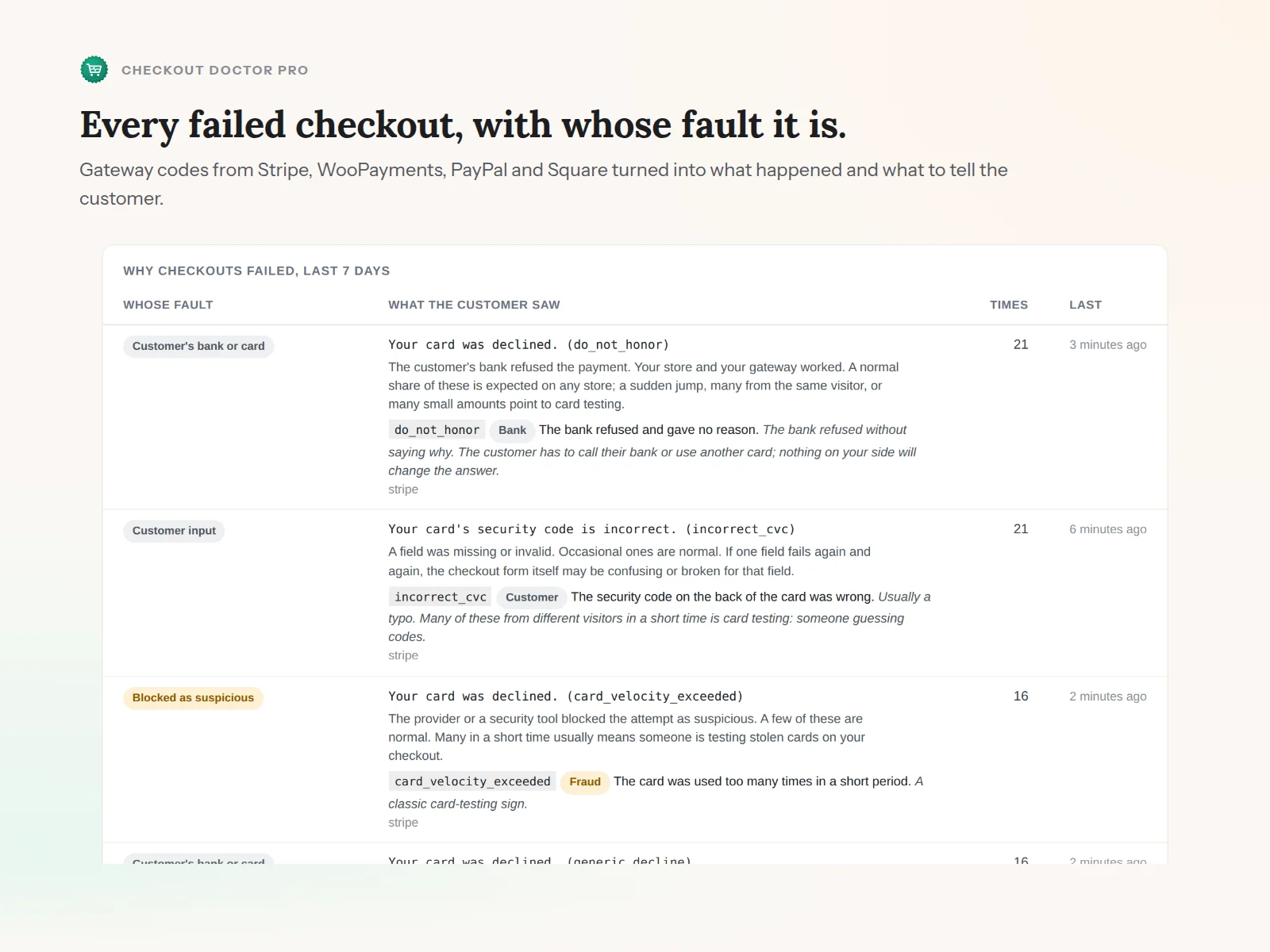
Every failed checkout, whose fault it is, and what the gateway's code means.
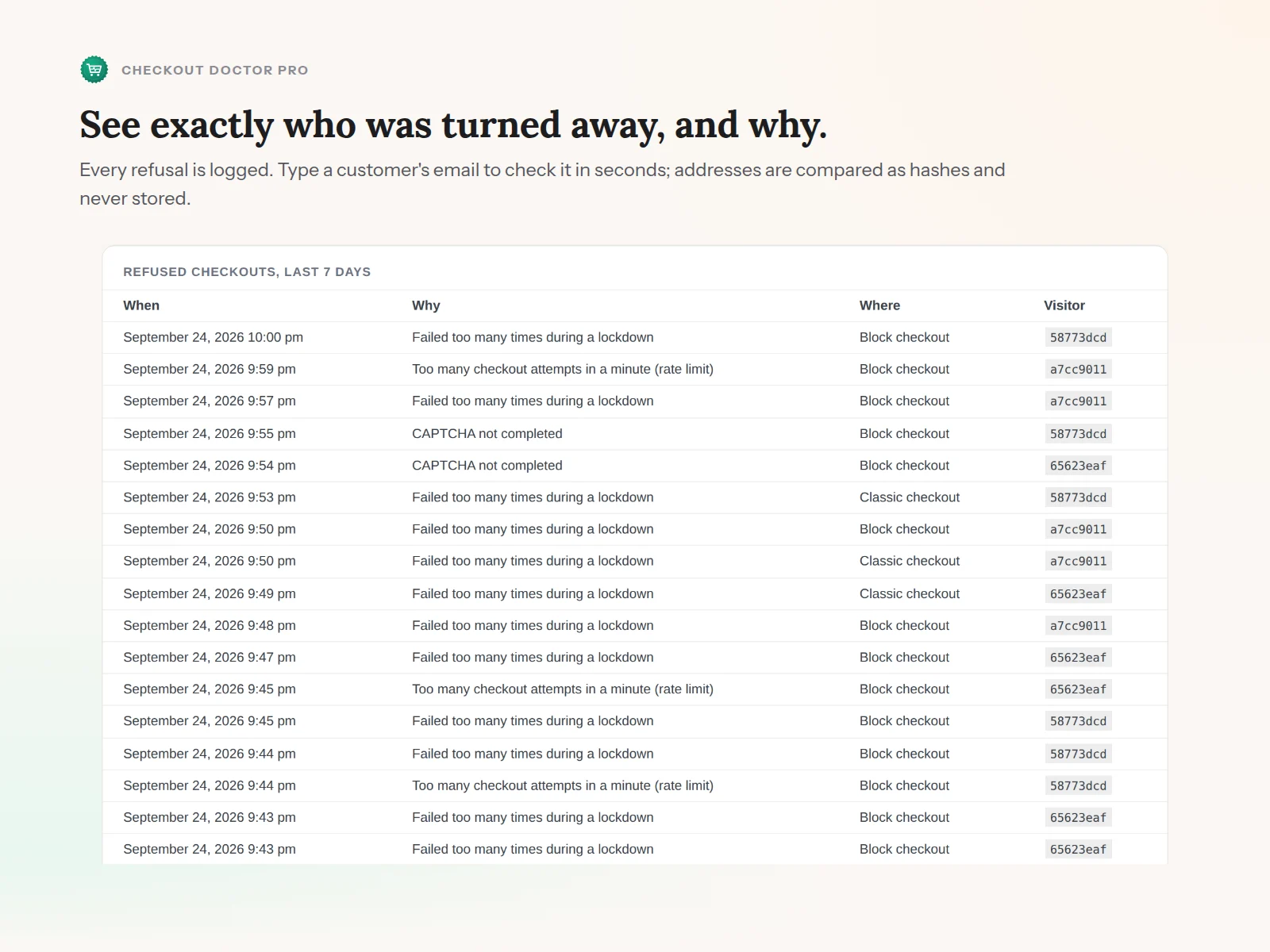
Exactly who was turned away, when and why.
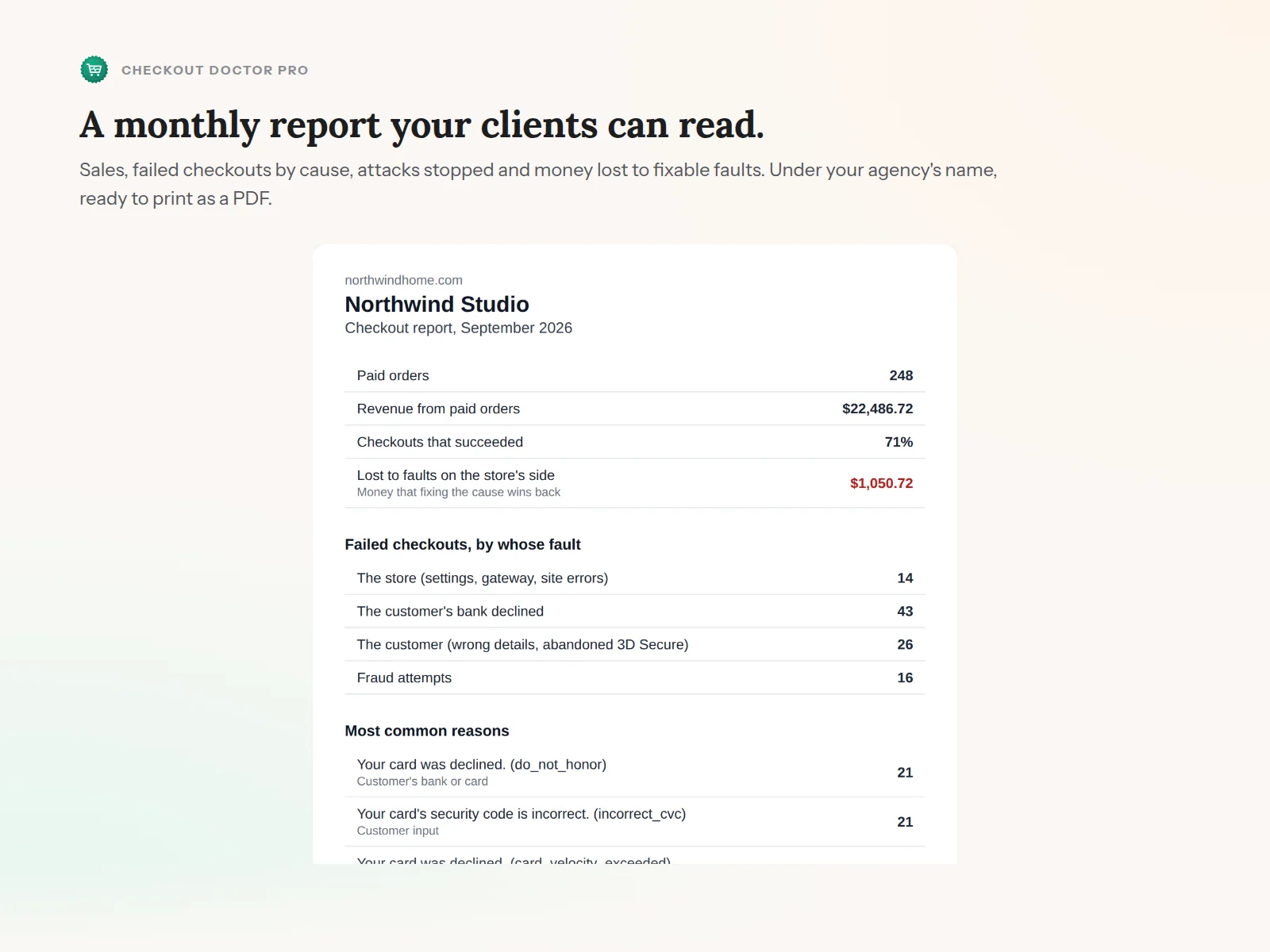
The monthly report, under your own name.
It records the error message the checkout actually showed, from the block checkout, the classic checkout and failed orders, with any payment method.
No card data, names or addresses are stored. IP and email addresses are kept only as hashes, and records are deleted after 90 days.
It only reads until you turn on Pro's lockdown. Everything runs on your own server; no order data leaves your store.
Knowing why checkouts fail and whose fault it is stays free, forever and without limits. Pro stops the attacks and reports what they cost.
7-day money-back guarantee.
Prices in USD, billed yearly. Pro keeps working until the end of the year you paid for.
A failed order in WooCommerce tells you almost nothing. The same red status covers a customer's typo, a bank's refusal, an expired API key that is costing every sale, and a bot trying a thousand stolen cards. Store owners find out which one it was days later, from a gateway email or a chargeback.
Checkout Doctor answers the one question that matters the moment it happens: what went wrong, and is it mine to fix? And when it is an attack, Pro stops it without turning away the customers you actually want.
It is part of the Snagbane family, alongside Link Scanner and Cron Monitor.
No FTP and no command line. Everyone starts with the free plugin, even with Pro: Pro is a small add-on that sits on top of it, not a replacement.
With WooCommerce active, go to Plugins → Add New Plugin and search for “Snagbane Checkout Doctor”.
Click Install Now, then Activate. There is nothing to configure; it starts recording right away and reads your recent orders for history.
You will find it under WooCommerce → Checkout Doctor, with a one-sentence verdict at the top.
After checkout, Freemius emails you the Pro .zip and a license key. Upload it under Plugins → Add New Plugin → Upload Plugin, activate it, and paste the key when asked.
Requires WordPress 6.4+, PHP 7.4+ and WooCommerce 8.0+.
Lost the email with your key? Recover it any time from the Freemius customer portal.
Free to install, free forever for the full diagnosis and history, no credit card.
Free on the official WordPress.org plugin directory. Updates arrive through your WordPress dashboard.
 Checkout Doctor